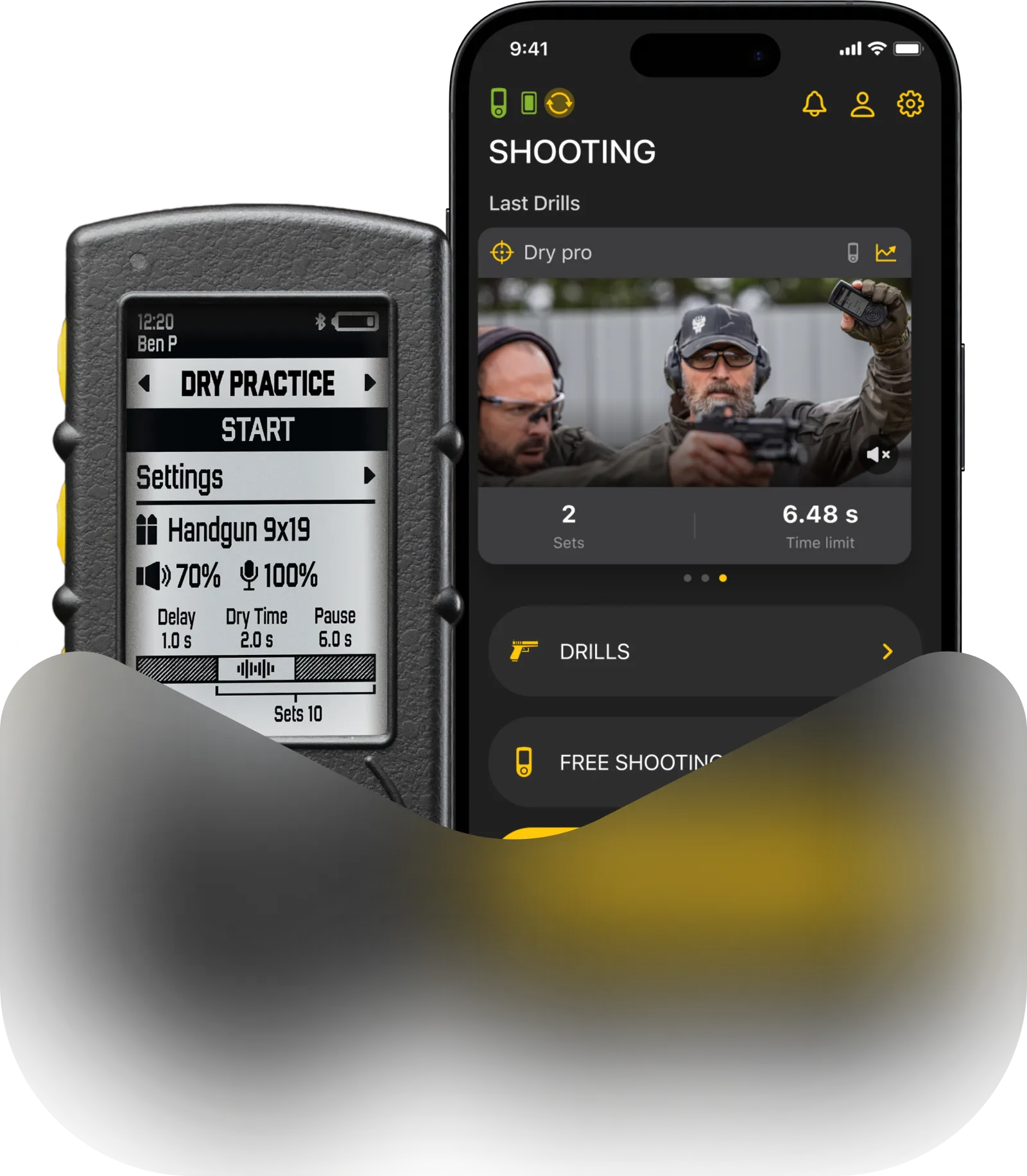
Electronic level of SG Pulse Pro ensures your rifle is aligned, eliminating horizontal drift of your shots. A green light shows that the rifle is level. Blue indicates deviation to the right, and red indicates deviation to the left.
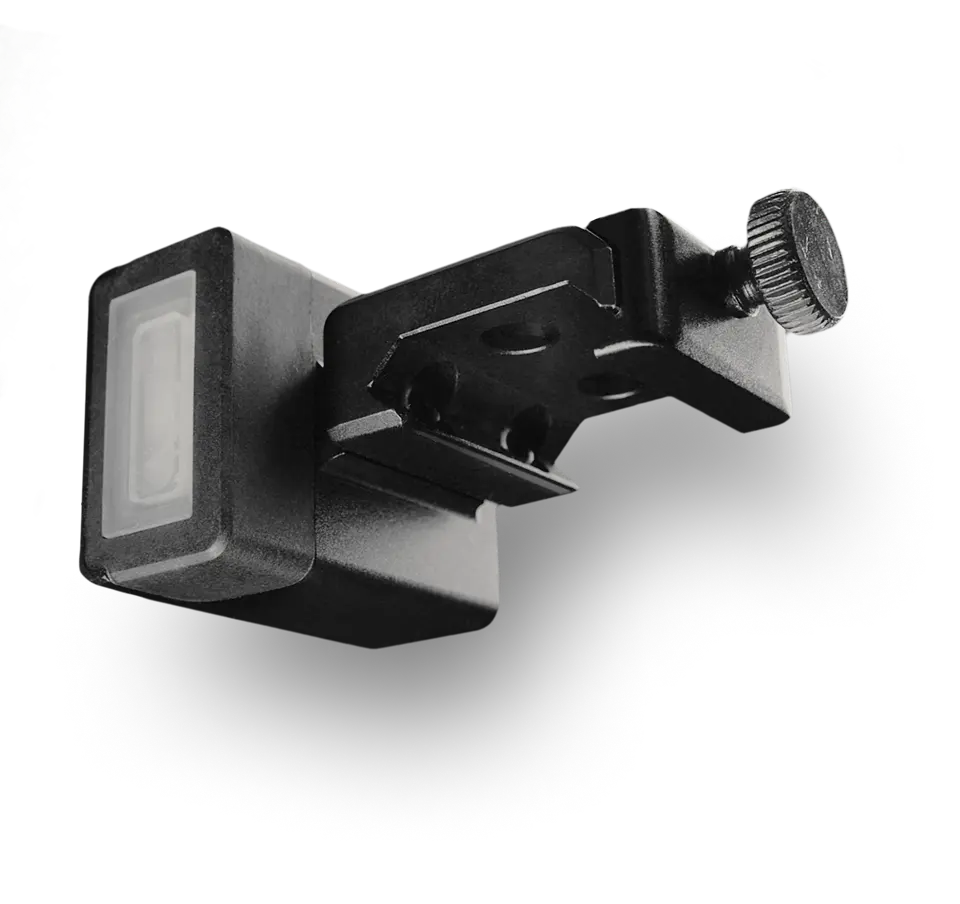
By attaching the ocular LEDs accessory to the usb-c port on the back of the device, you can move the indication under your scope.
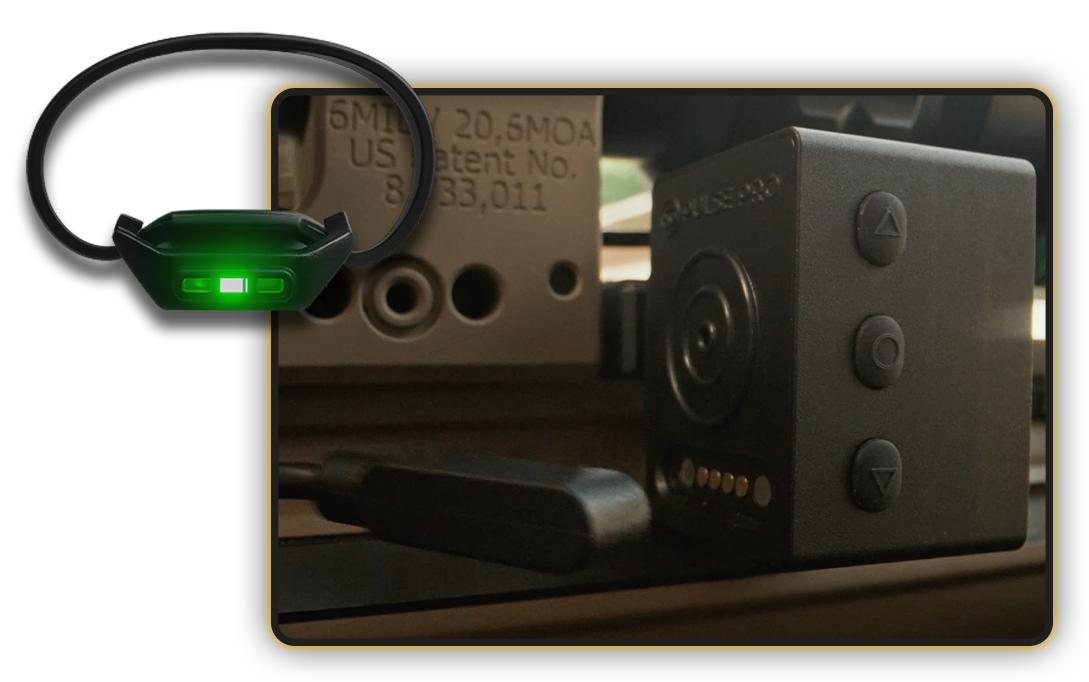
The indication can only appear in one place at a time — either on the external LEDs or on the Pulse Pro itself. To go back to the device, simply disconnect the adapter.

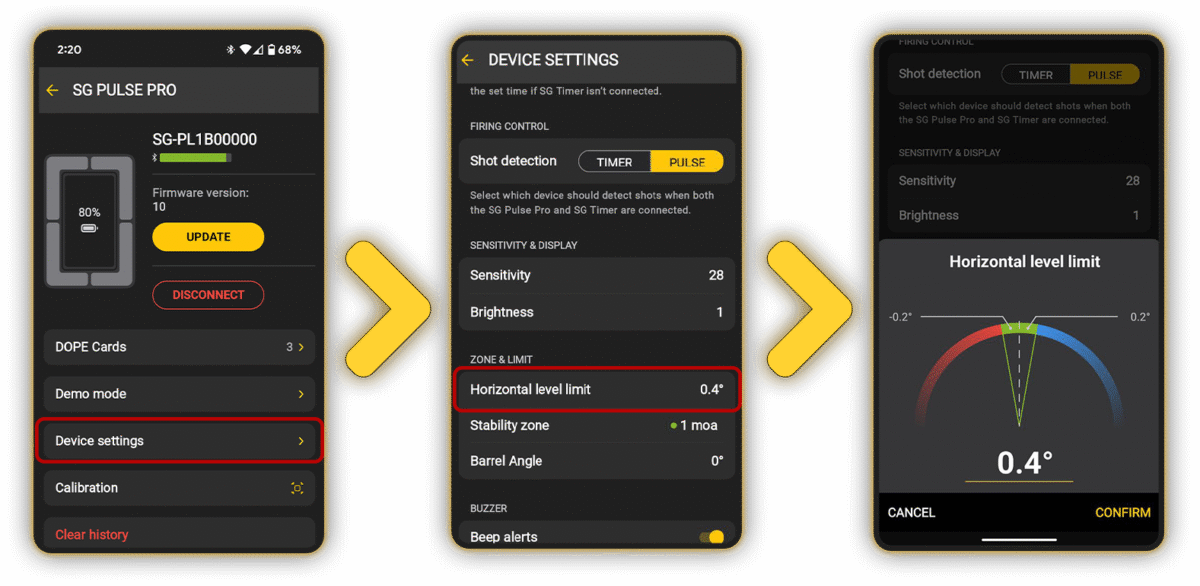
You can configure the green zone limits either directly on the device in the settings menu or through the Drills App. On the SG Pulse Pro go to Settings – Level Limits – Horizontal limit. The number is the degree acceptable for the green zone. The higher degree you set – the higher the acceptable deviation will be before the leds change color.
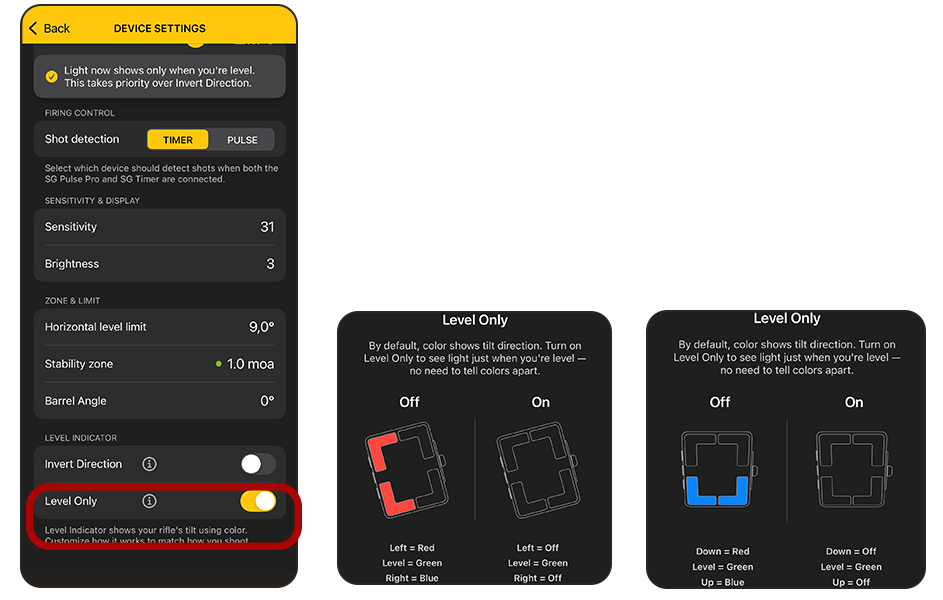
To do it in the Drills App, tap on the Pulse Pro once it’s connected, and go to the Device Settings menu. Then, navigate to the Zone & Limit section and select Horizontal Level Limit.
You may change the LED brightness for night training. On the Pulse Pro go to Settings – Brightness. It will adjust the brightness of the external LEDs as well.
In the Drills app go to the Device – Settings – Brightness.
By selecting the Level mode, you get access to live angle readout. Horizontal angle indicates your Cant.

The barrel angle indicates the vertical tilt of the rifle for further Cosine Factor calculations when shooting up or downhill. A positive number means your rifle is pointing up, a negative number means it’s pointing down.
At the bottom of this screen, you can also see the number of registered shots.
Level Mode may provide a visual indication of vertical level deviation in addition to the horizontal level.
The upper LEDs indicate the horizontal level, showing deviation to the left or right from the green zone.
The lower LEDs indicate the barrel angle, showing deviation up or down beyond the green zone limits.
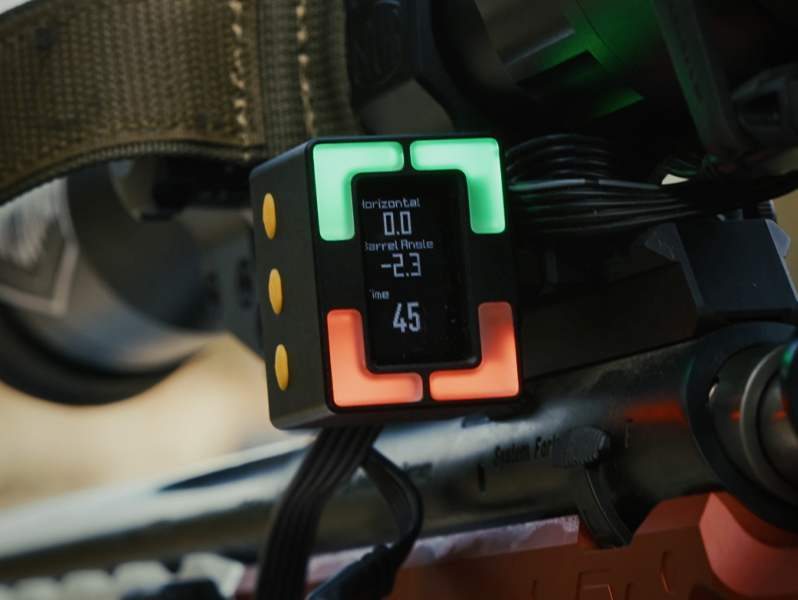
If an ocular LEDs accessory is connected to Pulse Pro, only the lower LEDs on the device will remain active to display the barrel angle, while the external ocular LEDs will indicate the horizontal level.
To enable or disable this function, go to Settings → Level limits → LEDs Mode on the device and select your preferred mode.
Enabling this feature will also activate it in Timer Mode and DOPE Cards Mode.
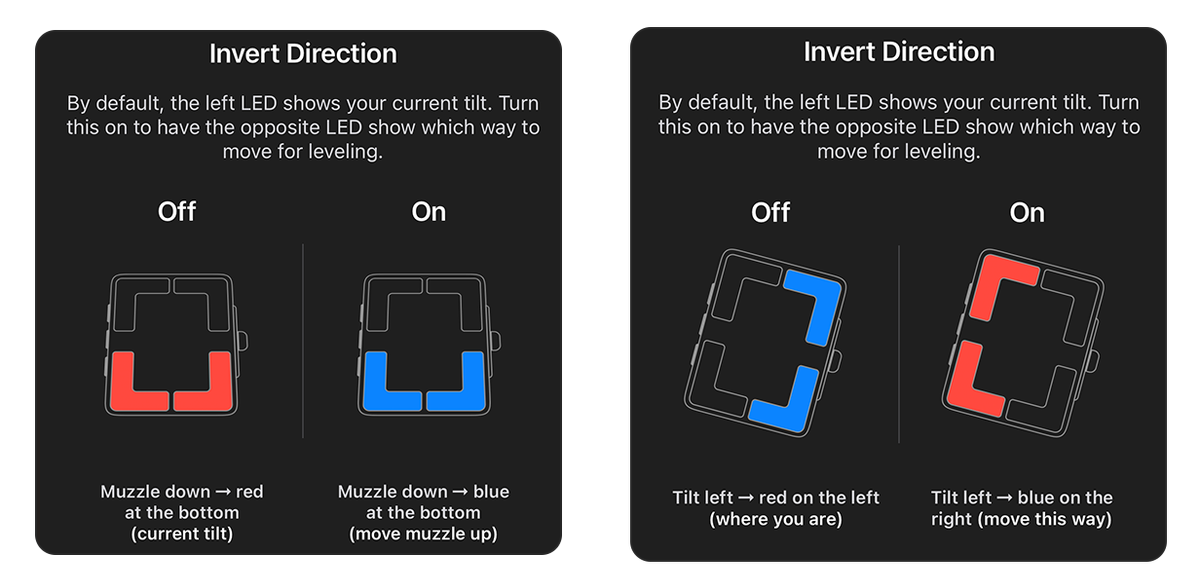
You can also enable level display inversion for both horizontal and vertical levels in the Drills app: go to Device settings, and in the Level indicator section, toggle on Invert Direction.
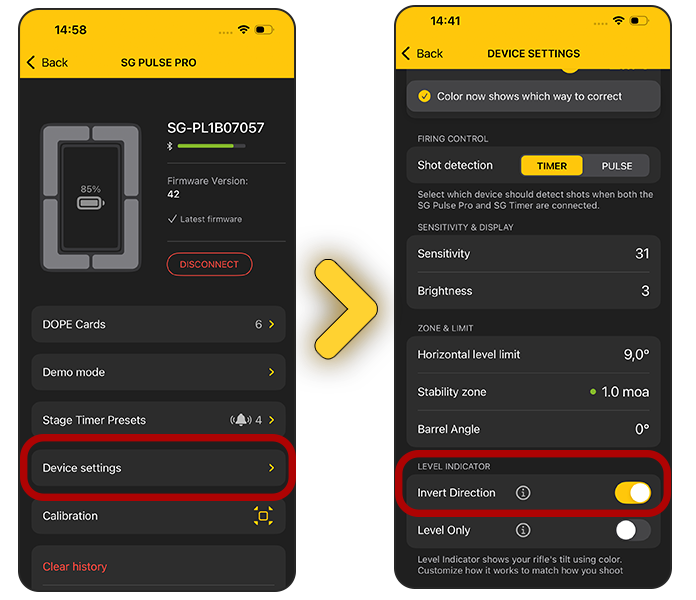
When enabled, the LEDs will show you which direction to tilt the gun to achieve a level position.
Additionally, you can turn on Level Only mode, which works for both horizontal and vertical leveling. In this mode, only the green LED lights up when you are properly aligned, while red and blue LEDs remain off.