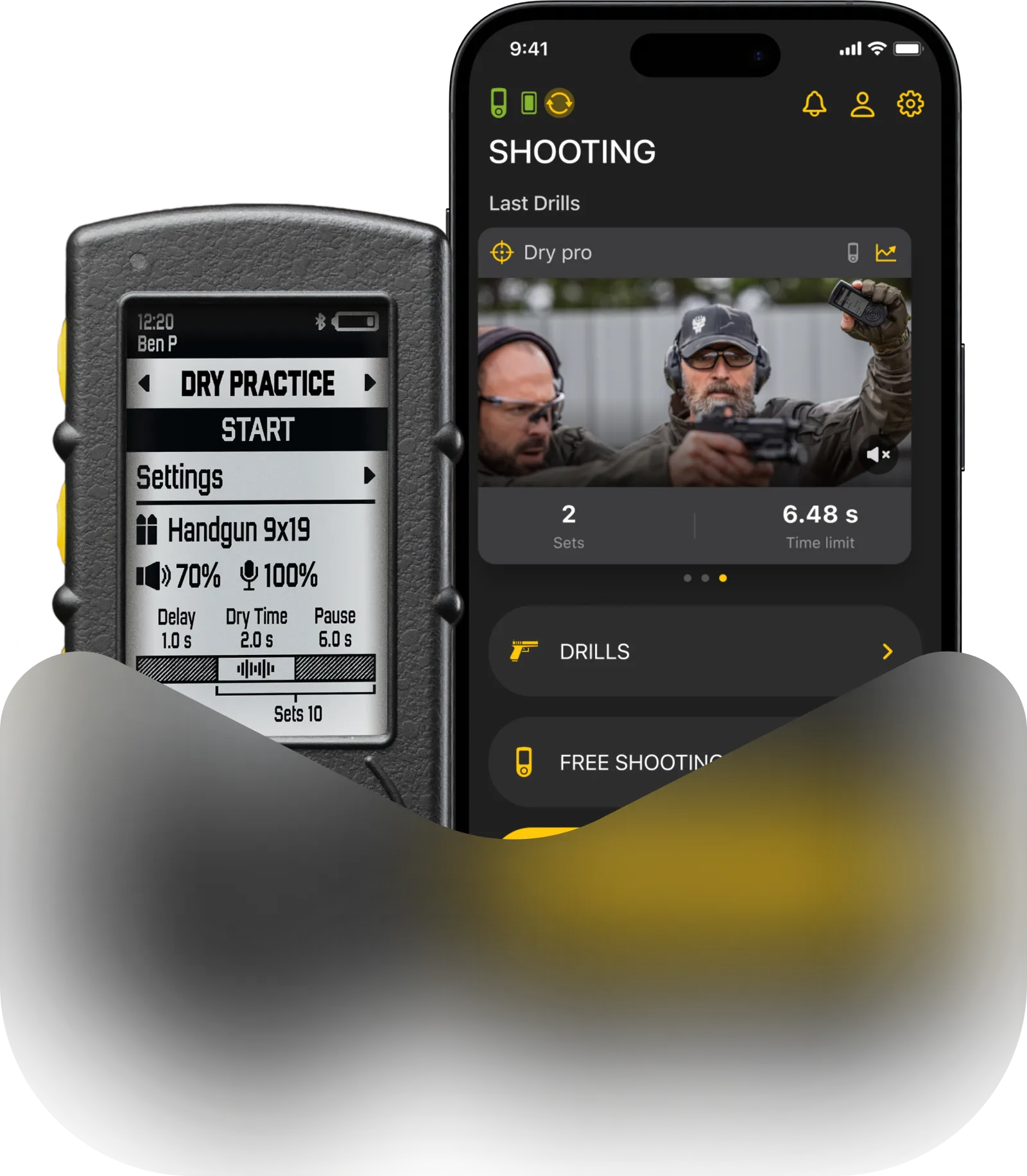
Both Gun types and Presets are sets of parameters you can save and quickly switch between.
The difference between them is in the purpose they were designed for and number of parameters they store.
Presets
Introduction. Presets are used in Free shooting and Quick Stage modes.

They contain your sensor settings (such as sensitivity, Echo filter, volume and Spy mode) and programming settings (PAR), such as Delay, Number of sets, Set time limit, Shot limit and Pause between sets.
In the Drills app you can add new presets, change settings and names of existing ones.
Presets in Drills app can be accessed in multiple ways. First connect your timer to the app.
🔸 Tap on the timer icon in the top left corner. In “My devices” select your timer – “Shooting presets”. Here you can create, delete, change the name and settings of presets.

🔸 On the home page go to “Free shooting”. On top is the preset selection and below it are this preset’s settings. Here you can only change settings of presets.
To delete the preset – swipe it to the left and press the red button. All changes you make on the timer will appear on the app and vice versa. Timer and Drills app have 2 way synchronization.
No matter where you changed it – in the timer or the app, only the latest changes will be relevant.
Sensitivity
Sensitivity defines how sensitive the shot sensor is. Decrease the sensitivity if the timer captures unwanted sounds. Increase it if the timer doesn’t catch shots.
For example, if you are shooting in an indoor range next to other shooters, but don’t want to capture their shots, decrease the sensitivity all the way to 1-5 points. You will have to place the timer either on the belt facing your weapon, or in any other place as close to the weapon as possible, facing it with the sensor.
Echo Filter
Echo Filter defines the dead zone interval. It is a time frame after the shot, during which the timer will not be registering any new sounds. This eliminates false recognition when shooting steel or in an indoor range with echo.
For instance, you are shooting steel. Echo filter is set up to 0.10 sec. First shot occurs at 5.00 seconds. The bullet hits the steel target at 5.05 sec. Then the second shot occurs at 5.15 seconds. Timer will ignore the sound of the bullet hitting the target, since the interval between these sounds (shot and bullet hit) is only 0.05 sec, which is less than 0.10 echo filter. But it will register the shot at 5.15 and will start counting echo filter interval again.

This setting can also be used to set up the timer in an unusual way. For example, by setting it to 0.4 sec, you can calculate the approximate rate of fire of an automatic weapon.
The timer will capture every individual shot the split between them.
Volume
Volume sets the loudness of the beep. If you are using a smartwatch, it will also vibrate when starting.
Spy mode
In “Spy mode” the timer will start the session once it hears another timer’s beep, thus syncing with it. The timer itself will not beep in this mode.
Learn more about Spy mode here.
Delay
After the “Sensor setup” menu, we can see “Delay”. This parameter defines the delay between the press of a start button and the beep.
By default the delay is random (from 2 to 4 seconds). To make it instant, select the menu and press the “Up” button one time, the indication will change. To set a custom delay, keep pressing the “Up” button. To switch back to random — adjust this parameter with the “Down” button until you reach it.
Sets
Sets mean the number of PAR times in a session. If the number of sets is set to 1, the timer will end the session based on the “Time limit” and “Shot limit” settings.
If the number of sets is greater than 1, repetitive PAR mode gets activated. The timer will repeat sets for a set number of times with a pause between each set.
SG Timer 2 can also calculate your RPM in real-time. RPM means “rounds per minute” and is calculated by the formula: 60 / Split Time in seconds. You can see your RPM on the timer screen while shooting. This is especially useful for automatic weapons. To measure your RPM, set the number of sets to 1 and start “Free Shooting” on your SG Timer 2.
Time limit
Time limit is time allotted for a set. Once this time is over, the timer will give an end signal and finish the session, if the number of sets is 1, or start counting the pause time before the next set, if the number of sets is greater than 1.
Shots
Shot limit means number of shots allowed within one set. After the timer registers all shots set up, the timer will give an end signal and finish the session, if the number of sets is 1, or start counting the pause time before the next set, if the number of sets is greater than 1.
Time limit and shot limit can be used simultaneously. Set will be over once either of the parameters is achieved first.
The duration of the starting beep is 0.5 seconds. But it can depend on the “Time limit” setting.
The minimal time limit you can set up is 0.2 seconds, which is shorter than the beep duration.
The beep duration will decrease if you set the time limit to less than 0.6 seconds. With the 0.5 seconds limit, the beep duration will be 0.4 seconds; if 0.4 — the beep is 0.3.

Pause time
Time of pause between sets, if the number of sets is greater than 1.

Gun types
Gun type is used in Shooting and Dry fire drills.
They are similar to presets, but they only contain sensor settings, without programming settings.
1 Gun type has 2 sets of settings – one for shooting and one for dry fire.
To access Gun types go to “Settings” – “My guns”.
Here you can add new Gun types, edit settings or delete them by swiping them left and pressing the red button.
You can change the name of a Gun type and select the icon. Press “Save” in the top right corner after editing.

All changes you make on the timer will appear on the app and vice versa. Timer and Drills app have 2 way synchronization.
No matter where you changed it – in the timer or the app, only the latest changes will be relevant.
⚠️ If you modify the settings of a Gun Type – these changes will automatically apply to all other Drills where this Gun Type is selected.
Shooting settings
Sensitivity. Sensitivity defines how sensitive the shot sensor is. Decrease the sensitivity if the timer captures unwanted sounds. Increase it if the timer doesn’t catch shots.
For example, if you are shooting in an indoor range next to other shooters, but don’t want to capture their shots, decrease the sensitivity all the way to 1-5 points. You will have to place the timer either on the belt facing your weapon, or in any other place as close to the weapon as possible, facing it with the sensor.
Echo Filter
Echo Filter defines the dead zone interval. It is a time frame after the shot, during which the timer will not be registering any new sounds. This eliminates false recognition when shooting steel or in an indoor range with echo.
For instance, you are shooting steel. Echo filter is set up to 0.10 sec. First shot occurs at 5.00 seconds. The bullet hits the steel target at 5.05 sec. Then the second shot occurs at 5.15 seconds. Timer will ignore the sound of the bullet hitting the target, since the interval between these sounds (shot and bullet hit) is only 0.05 sec, which is less than 0.10 echo filter. But it will register the shot at 5.15 and will start counting echo filter interval again.

This setting can also be used to set up the timer in an unusual way. For example, by setting it to 0.4 sec, you can calculate the approximate rate of fire of an automatic weapon.
The timer will capture every individual shot the split between them.
Volume
Volume sets the loudness of the beep. If you are using a smartwatch, it will also vibrate when starting.
Dry fire settings
Dry fire settings of a gun type on an SG Timer are located in “Dry fire drills – Selected drill – Selected gun type”.
Waiting time
Waiting time is a safe zone period used in Smart mode of dry fire. During dry fire there are many extraneous sounds like reload, slide or gear rattle, which may be perceived by the timer as a hammer fall. Since hammer fall is very similar to all those other sounds in terms of loudness and sound, it makes it impossible to distinguish electronically.
Therefore, the timer counts down the time from the last sound it registered, and if it doesn’t register any more sounds during this period, it acknowledges this sound as a hammer fall and ends the set.
For example, let’s take a reload drill. Waiting time is set to 1 second.
The mag drops at 0.5 sec — timer registers it, but does not acknowledge it as a finish yet, starts counting 1 second.
At 1.1 sec you insert a new mag. Timer registers the sound, but doesn’t acknowledge it, because it’s been less than 1 second from the last sound. It starts counting 1 second again.
1.4 sec — slide racking sound. Same as with the previous sound.
At 1.8 seconds you pull the trigger and freeze for 1 second after that. Timer registers this sound and starts counting 1 second. And since you didn’t make any more sounds after the trigger pull it acknowledges this sound and gives an end signal.
This way you don’t have a pile of unusable timecodes — only the actual time of execution.

You can also program the timer to your needs by adjusting the waiting time.
Sensitivity
Sensitivity defines how sensitive the shot sensor is. It is recommended to keep it at 100 in Dry fire mode.
Volume
Volume sets the loudness of the beep. If you are using high noise canceling headphones, we recommend turning the volume to maximum. If you are using a smartwatch, it will also vibrate when starting.